Persistent Meet link in Google Calendar
- Open Google Calendar.
- Click on the date you wish to create the Event.
- Add a title and click on the date to add a date/time.
- Click where it says 'Doesn't Repeat' and select which ever is appropriate.
- Add a Google Meet by clicking the blue button.
- Copy the Google Meet info (button on the left of the settings cog) .
- Paste the information in an email to send to recipients.
Video Tutorial
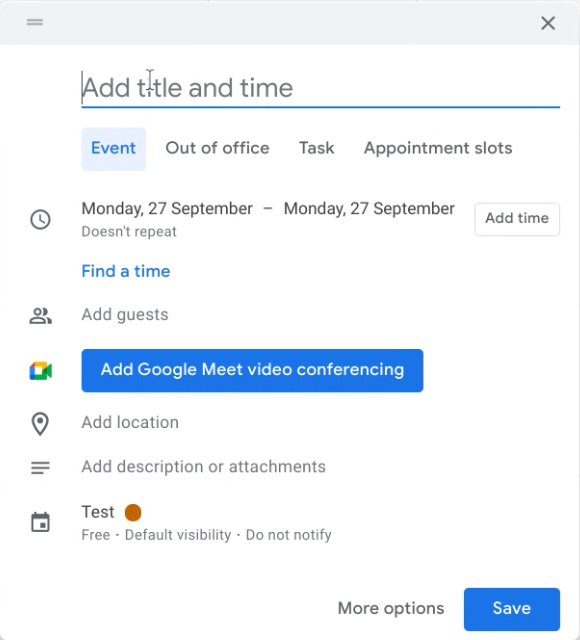 Persistent Meet link walkthrough.