Creating a new Calendar
- Open Google calendar on your computer
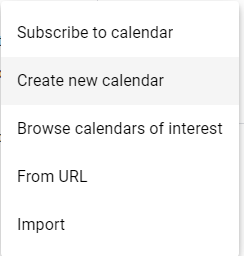
- On the left, click the + next to "Other calendars" then click "Create new calendar"
- Add a name and description
- Click create calendar
- To share with other people, click on it on the left bar, then select "Share with specific people"