Viewing a Students Timetable
- Log into iSAMS
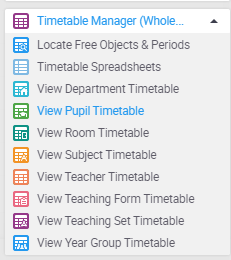
- From the Wizard Bar , expand the Timetable Manager category
- Click on View Student Timetable from this sub menu
- Search for the Student using their name
- Click on them to select their profile
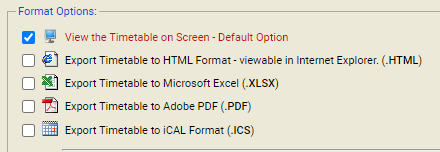
- Select the file format you wish to use